NOTE: This article is not applicable for external SSO users. SSO users should follow the process as per their IT procedures.
Related Questions
- My Welcome to IES Projects email does not contain an initial password
- I forgot my IES account password
- How to reset my IES account password
- How do I recover or reset my password
If you've forgotten your IES account password, use the following steps to access a self-service password reset and get back into your account.
1. Goto https://login.ies.live
2. Type your Email in the corresponding field and click the "Forgot Password" link.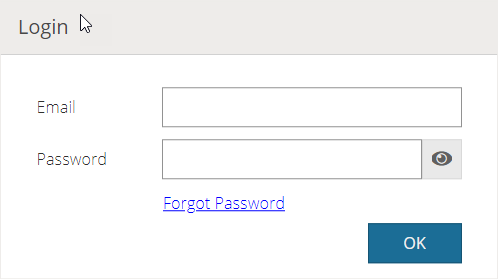
3. A dialog will appear with your IES user account email. Click "OK" button.
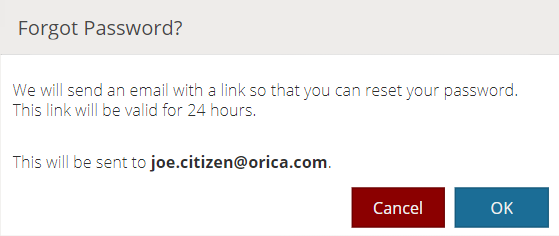
You will receive a password reset email. Please follow the instructions in it to set up your new password.
You should now be able to access your account. If you can't, please contact IES Support for further help.